 Claude Sessions Pro
Download
Claude Sessions Pro
Download
For Claude Desktop on Mac
Multiple Claude accounts on one Mac.
Run your work, personal and client Claude accounts side by side, each in its own app. Every account keeps its own login, chats, Claude Code sessions and pins. Switch with ⌘-Tab.
- 14-day full refund
- One-time purchasePay once, 2 Macs
- macOS Sonoma 14 or later14+

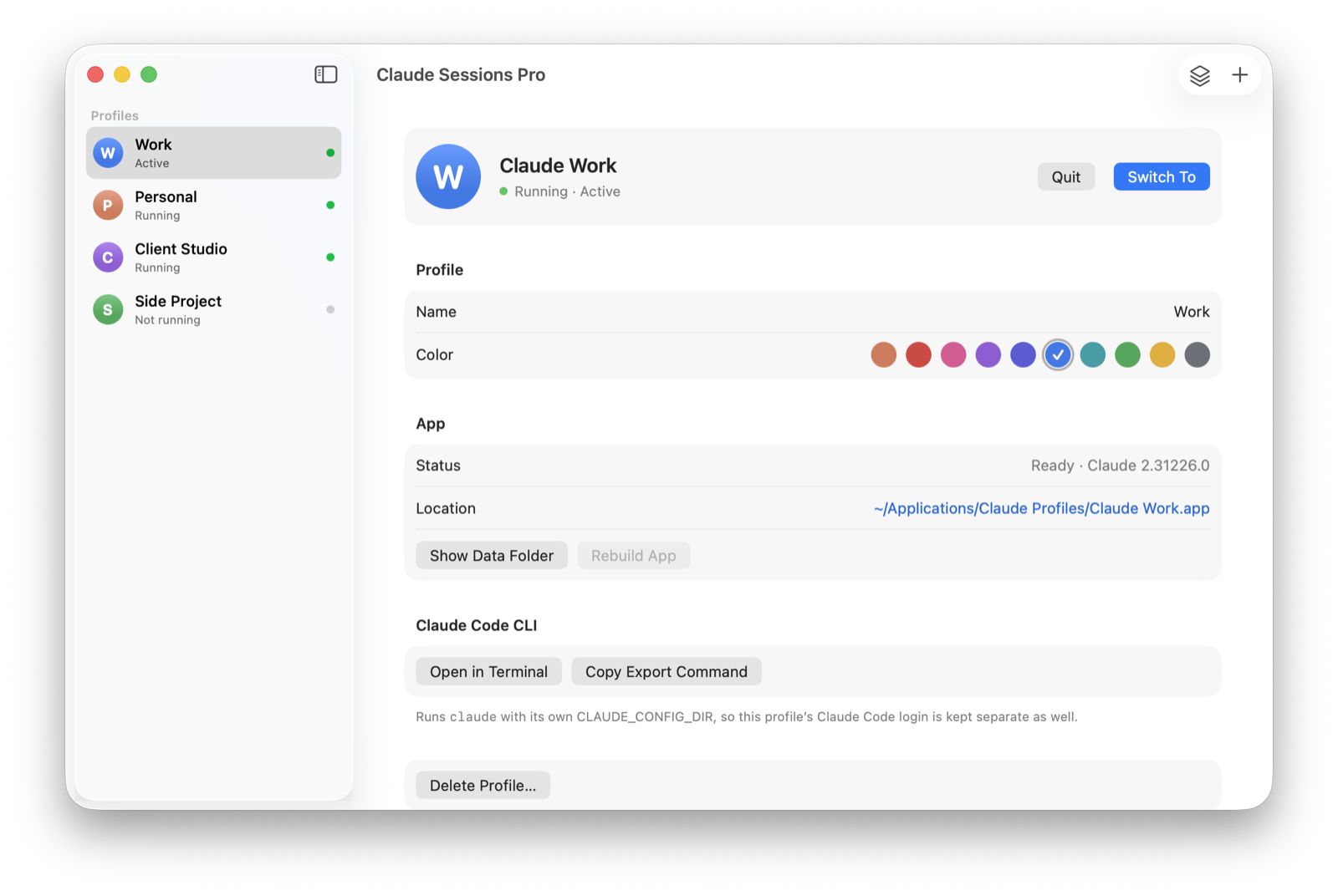
Every account, its own app.
Each profile is a real Mac app with its own Dock icon and colored badge, so you always know which Claude you're talking to.
- Switch with ⌘-Tab
- Menu bar account switcher
- Own Dock icon per account
- Sign in with Google or email
- Claude Code per account
- Sessions & pins kept
- Updates with Claude
- Brings your current Claude along
- Launch at login
- Apple silicon & Intel
- What it is
- A Mac app that runs several Claude Desktop accounts at the same time, each as its own app.
- Price
- $15 one-time, lifetime license for up to 2 Macs. 14-day full refund.
- Works with
- Claude Desktop on macOS 14 Sonoma or later, Apple silicon and Intel. Google or email sign-in.
- Kept per account
- Login, chats and projects, Claude Code sessions, pins, settings and connectors.
Every detail stays with its account.
Nothing gets mixed up between accounts, and nothing gets lost when you add one.
Logins
Each profile stays signed in to its own account. Signing in to one never signs you out of another.
Chats & projects
Each account's conversations and projects open in its own window, exactly as they are in that account.
Claude Code sessions
Sessions in the Code tab stay with the account that ran them, ready to resume.
Pins
Pinned sessions stay pinned in the right account, and pins you remove stay removed.
Settings & connectors
Preferences, connectors and MCP servers are set per account, so work tools stay with work.
Its own app
A colored letter badge on the Dock icon, its own place in ⌘-Tab and Spotlight, and its own window.
Used this account in Claude before? When you sign in to a profile, its Claude Code sessions and pins from your main Claude app come along automatically. Your main Claude app keeps its copies too.
Set up in a minute.
- Create a profile for each accountName it (Work, Personal, a client) and pick a color. It becomes its own Claude app.
- Sign in onceWith Google or email. Google opens Apple's secure sign-in window and returns to the right profile.
- Keep them all openSwitch with ⌘-Tab or the menu bar. Your current Claude app keeps working as it is.
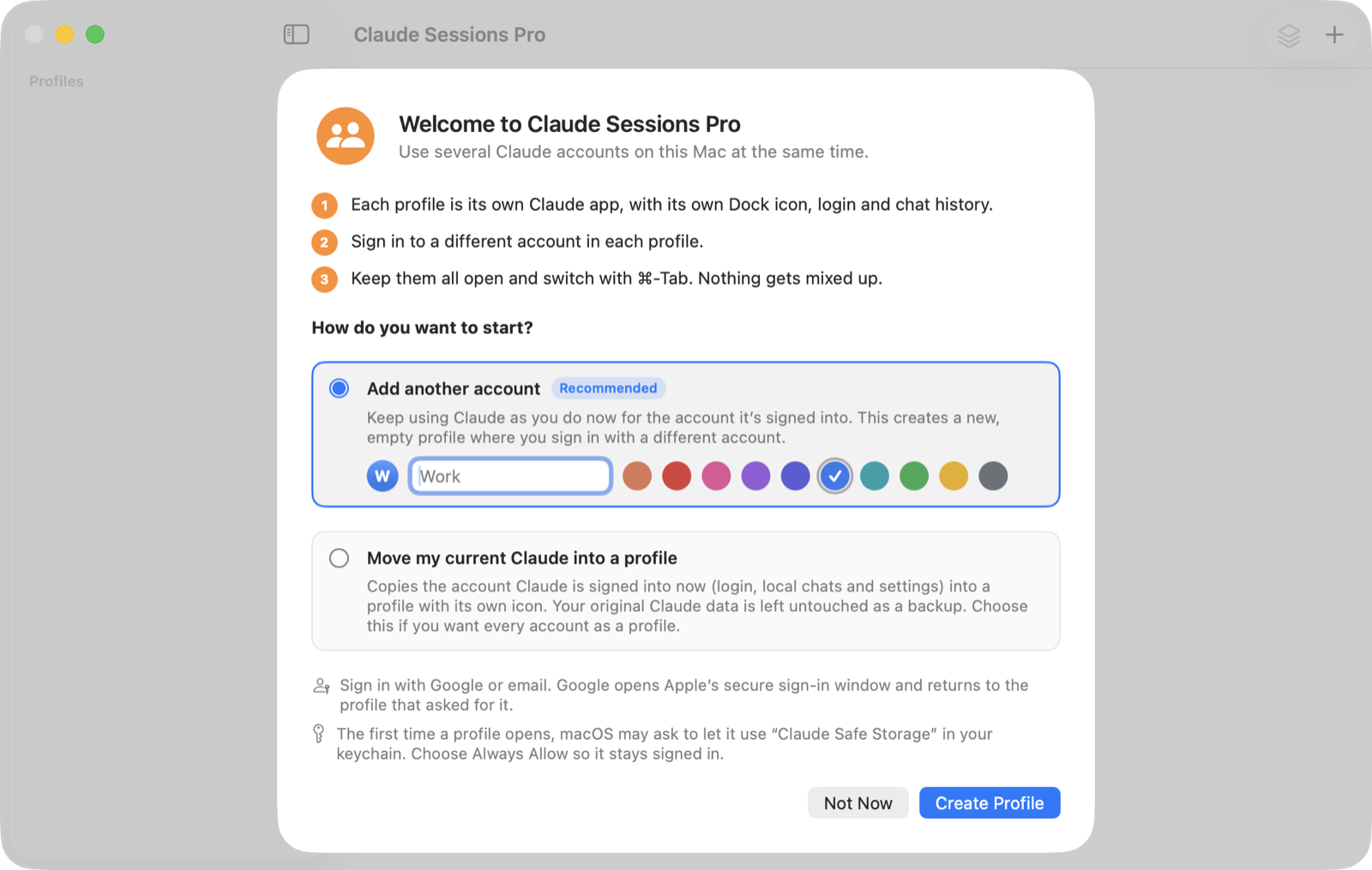
A Claude account switcher in your menu bar.
The colored letter in the menu bar shows which account is in front. Click it to switch between Claude accounts in one step, or to open one that isn’t running.
- Open all your accounts at once
- See which ones are running
- Create a new profile from anywhere
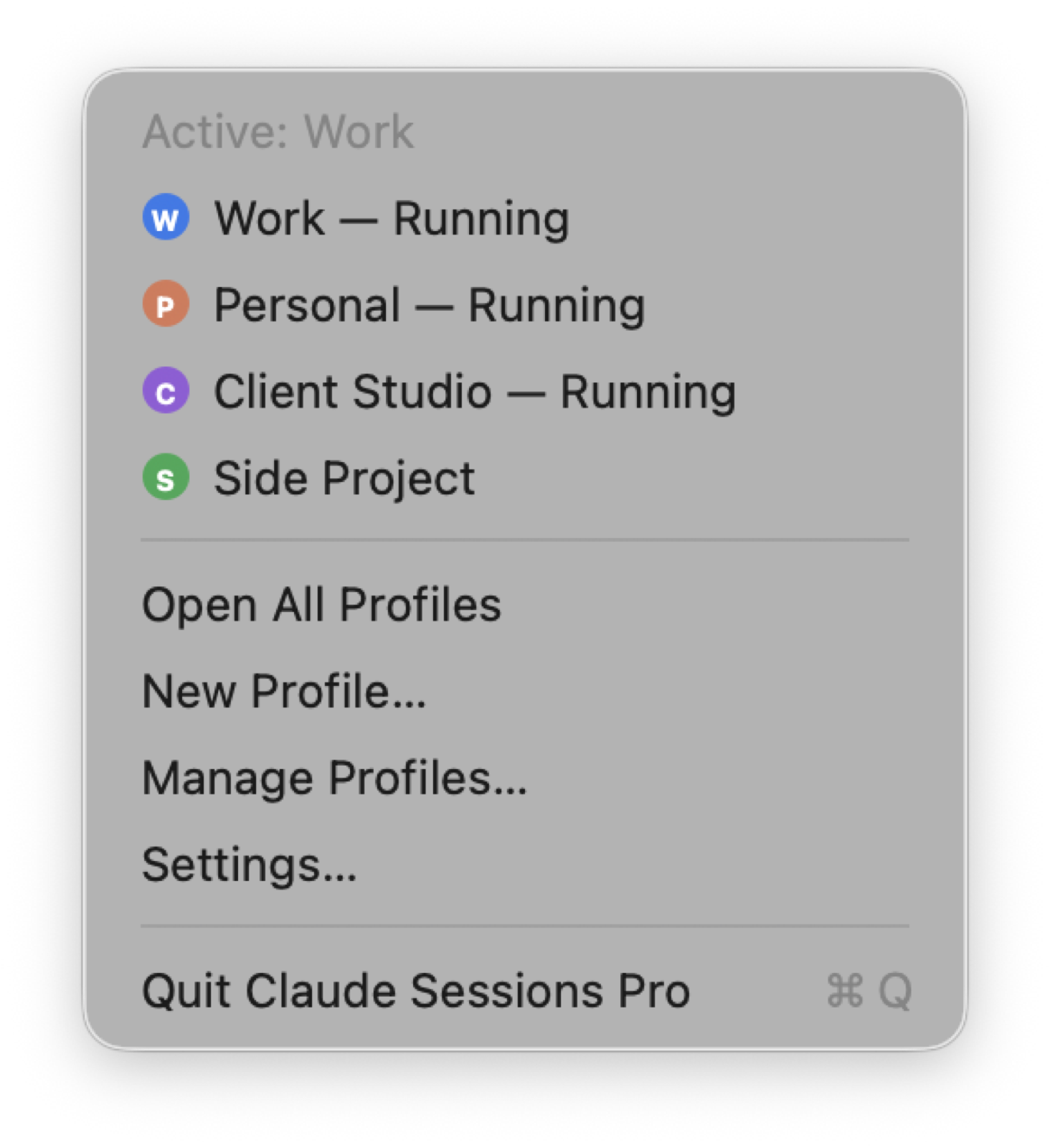
Multiple Claude Code accounts, too.
Developers get the same separation for Claude Code, in the app and on the command line.
In the Code tab
Each account's Claude Code sessions and pins stay in its own profile. Resume them exactly where you left off.
In Terminal
One click opens claude with that profile's own CLAUDE_CONFIG_DIR, so the CLI is signed in to the right account too.
Your usage, per account
Work runs on your work plan, side projects on yours. No more signing out and back in between tasks.
Why not a script or a second user?
You can juggle accounts with Terminal scripts or by switching macOS users. Here's what you give up. See every method compared, including Parall and Multi-Claude →
| Claude Sessions Pro | Terminal scripts | Second macOS user | Signing out and in | |
|---|---|---|---|---|
| All accounts open at once | ✓ | ✓ | ✕ | ✕ |
| Own Dock icon and ⌘-Tab entry | ✓ | Usually not | ✕ | ✕ |
| Sign in with Google | ✓ | Often breaks | ✓ | ✓ |
| Claude Code sessions and pins kept per account | ✓ | Manual | ✓ | ✕ |
| Keeps up with Claude updates | ✓ | Manual | ✓ | ✓ |
| No Terminal needed | ✓ | ✕ | ✓ | ✓ |