 Claude Sessions Pro
Short answer: give each account its own Claude Code configuration folder. Run mkdir -p ~/.claude-work, then CLAUDE_CONFIG_DIR=~/.claude-work claude and sign in with the second account; plain claude keeps your first. That's Anthropic's documented method, but it only covers the terminal: Claude Desktop still holds one account, so the app and the terminal drift apart. Claude Sessions Pro gives every account its own Claude app and a Claude Code CLI on the same login.
Free 1-hour preview. For macOS 14 or later, or 64-bit Windows 10 or 11, with Claude Desktop installed.
Why does Claude Code use one account at a time?
Claude Code keeps everything about you in one configuration folder: ~/.claude unless you change it (%USERPROFILE%\.claude on Windows). Your settings, session history and plugins live there, and so does your login: on a Mac it's a Keychain entry tied to that folder, on Linux and Windows a .credentials.json file inside it.
One folder means one login. /login with another account replaces the first, and you're back to switching.
How do you set up a second account?
- Create a folder for the second account.
mkdir -p ~/.claude-work - Start Claude Code pointed at it.
Claude Code walks you through login and setup for the new folder. Sign in with the second account. You only do this once per folder.CLAUDE_CONFIG_DIR=~/.claude-work claude - Use both.
In one tab, the command above runs Claude Code as your second account. In another, plain
claudekeeps using~/.claudeand your first account. Both can run at the same time.
How do you make it one word?
Add an alias to ~/.zshrc (or ~/.bashrc), the same one Anthropic's docs show:
alias claude-work='CLAUDE_CONFIG_DIR=~/.claude-work claude'Open a new tab and claude-work starts the second account. Add one alias per account (claude-client, and so on), and create each folder first.
On Windows, set the variable for the window before you start Claude Code. In PowerShell:
$env:CLAUDE_CONFIG_DIR = "$HOME\.claude-work"
claude
In Command Prompt, set "CLAUDE_CONFIG_DIR=%USERPROFILE%\.claude-work", then claude. Set it per window or in a PowerShell function, not permanently, or every claude ends up on the same account again.
What should you copy between the folders?
- Copy your settings if you want the same setup in both:
settings.json, andCLAUDE.mdif you have global instructions. - Don't copy the login. Let each folder sign in on its own. Copying credentials puts the first account into the second folder.
- Leave history alone. Each folder keeps its own sessions, so each account's history stays with it.
What trips people up?
- Wrong account in a tab. Run
/statusinside Claude Code to see which account it's using, orecho $CLAUDE_CONFIG_DIRin the shell. Empty means the default~/.claude. /logoutin the wrong tab. It signs out the folder that tab uses, and resets that folder's first-launch setup. Other folders stay signed in. More in switching Claude Code accounts.- Console sign-ins without an API key. Anthropic notes that separate folders don't keep two of these apart, because that kind of sign-in is stored outside the folder. claude.ai logins and API keys separate fine.
What about Claude Desktop?
CLAUDE_CONFIG_DIR only fixes the terminal. Claude Desktop still holds one login, so your chats, Code tab sessions and connectors stay on one account while the terminal is on another, and switching the app still means signing out.
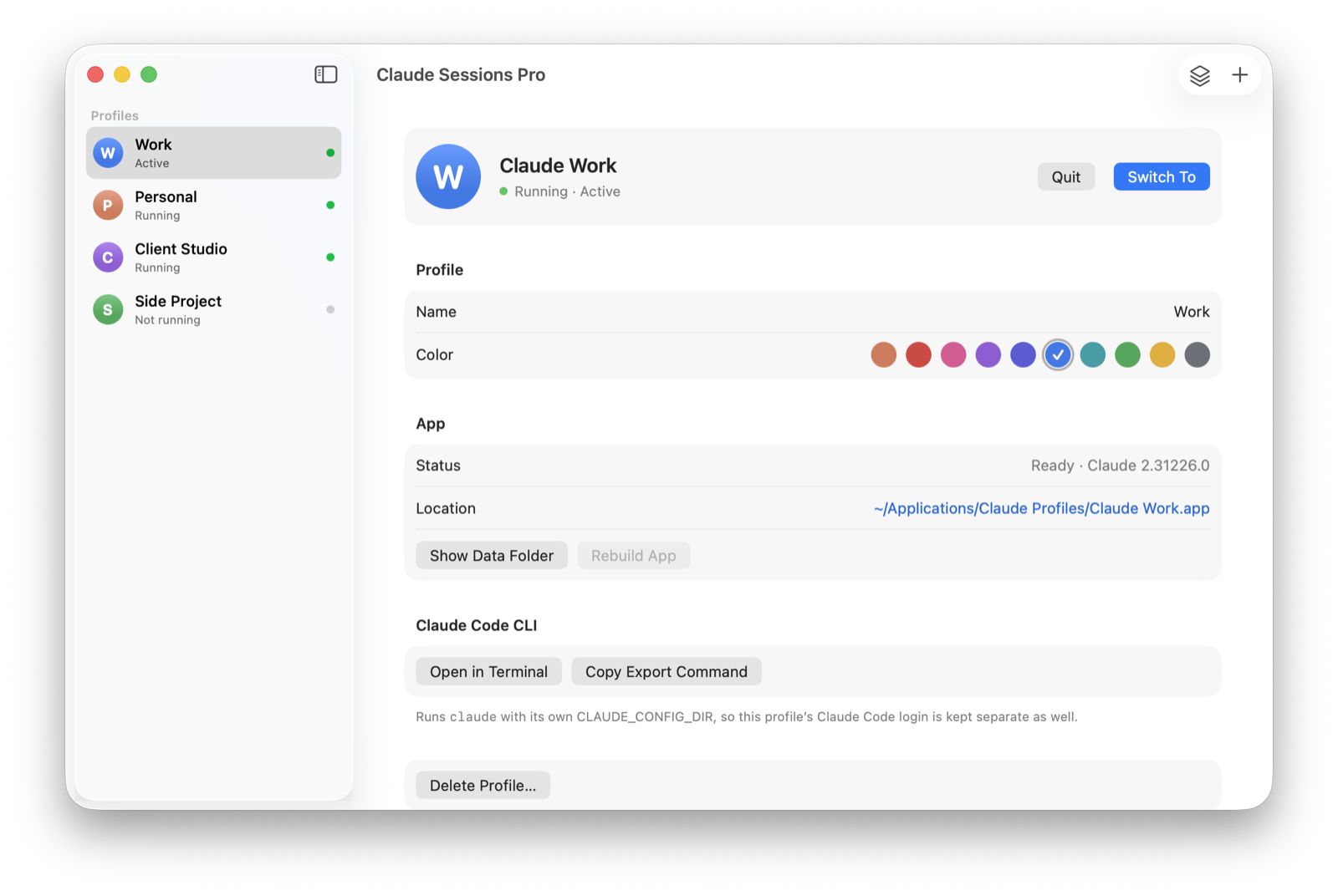
Claude Sessions Pro closes that gap. Each account becomes its own Claude app on a Mac, with its own Dock icon and colored badge, or its own window on Windows, all open at once, and "Claude Code in Terminal" opens the CLI on that same account. No folders to manage, nothing to type. Try it free for an hour; then it's $15 once for two computers, Mac or PC, with a 14-day refund.
CLAUDE_CONFIG_DIR by hand | Claude Sessions Pro | |
|---|---|---|
| Two Claude Code accounts at once | ✓ | ✓ |
| Claude Desktop per account | ✕ | ✓ |
| Code tab sessions kept per account | ✕ | ✓ |
| Terminal on the same account as the app | Only for ~/.claude | ✓ Every profile |
| Cost | Free | $15 one-time |
We make Claude Sessions Pro.
 Claude Sessions Pro
Free 1-hour preview · 14-day refund · 2 computers, Mac or PC
Want tmux splits, Windows Terminal profiles, VS Code and an account per project folder? There's a longer walkthrough on DEV: run two Claude Code accounts side by side without logging out. Comparing every option, including the browser and a second Mac user? See every way to run two Claude accounts on a Mac.
FAQ
How do I use two Claude Code accounts at the same time?
Give each account its own configuration folder. Create it with mkdir -p ~/.claude-work, run CLAUDE_CONFIG_DIR=~/.claude-work claude and sign in once. Plain claude keeps using ~/.claude, so both accounts can run in separate tabs.
Where does Claude Code keep its login?
In the configuration folder it uses, ~/.claude by default. On a Mac the login is a Keychain entry tied to that folder; on Linux and Windows it's a .credentials.json file inside it. A different CLAUDE_CONFIG_DIR means a different login.
Is this method supported?
Yes. Anthropic's Claude Code documentation describes it under "Log in with multiple accounts", with the same claude-work alias.
Is CLAUDE_CONFIG_DIR enough, or do I need an app?
If you only use Claude Code in the terminal, CLAUDE_CONFIG_DIR is enough. If you also use Claude Desktop, it isn't: the app still holds one account at a time. Claude Sessions Pro gives each account its own Claude app and a CLI on the same login, so both stay in step.
Claude Sessions Pro is made by LEX GLOBAL IT S.R.L. and is not affiliated with, endorsed by or sponsored by Anthropic. It runs the official Claude app with accounts you already have, and Anthropic's terms apply to each account. Claude is a trademark of Anthropic, PBC.