 Claude Sessions Pro
Short answer: inside Claude Code, run /logout, then /login with the other account. It works, but each switch also resets that folder's first-launch setup, and Claude Desktop stays on whatever account it was on. To stop switching, give each account its own folder with CLAUDE_CONFIG_DIR. Claude Sessions Pro goes further: each account gets its own Claude app and a terminal on the same login, so you never switch at all.
Free 1-hour preview. For macOS 14 or later, or 64-bit Windows 10 or 11, with Claude Desktop installed.
Switching: /logout and /login
- Sign out of the current account.
In Claude Code, type:/logout - Sign in with the other one.
Claude Code opens the browser to sign in. Pick the account you want./login - Check.
/status/statusshows the account and organization Claude Code is using now.
Two things to know. /logout also resets your first-launch setup, so the next start walks you through setup again. And it signs out only the configuration folder that session uses, ~/.claude by default.
Not switching: one folder per account
Claude Code keeps its login with its configuration folder: a Keychain entry tied to the folder on a Mac, a .credentials.json file in it on Linux and Windows. Give the second account its own folder and both stay signed in:
mkdir -p ~/.claude-work
alias claude-work='CLAUDE_CONFIG_DIR=~/.claude-work claude'
Now claude-work is your work account and claude your own, in any tab, with no /logout. Anthropic's docs describe exactly this under "Log in with multiple accounts". Full setup, including Windows.
When the account isn't what you expect
- Wrong account after
/login./loginsigns in through your browser, so check which claude.ai account the browser is using. Sign out there, or use a browser profile per account, and run/loginagain. - An API key wins. If
ANTHROPIC_API_KEYis set and approved, Claude Code uses it instead of your login.unset ANTHROPIC_API_KEYto go back to your subscription;/statusshows which is in use. - Console sign-in without a key. Separate folders don't keep two of these apart; Anthropic stores that sign-in outside the folder.
The terminal and the app, on one account.
Claude Code and Claude Desktop keep separate logins, so after a few switches it's easy to have the app on one account and the terminal on another. Claude Sessions Pro keeps them together: each profile is its own Claude app (or window, on Windows), and "Claude Code in Terminal" opens the CLI with that profile's own login. No /logout, no setup to redo.
Try it free for an hour; then it's $15 once for two computers, Mac or PC, with a 14-day refund.
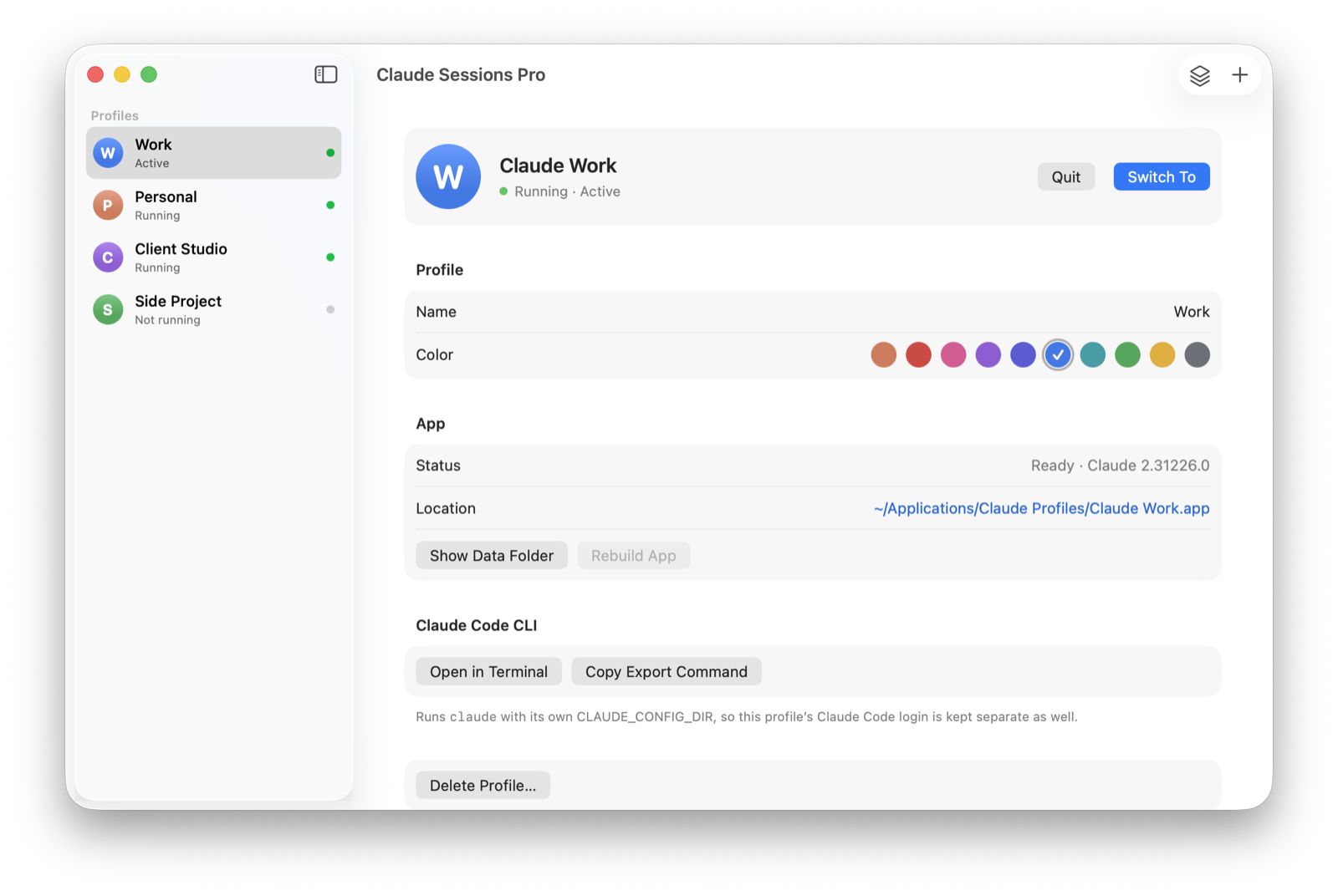
We make Claude Sessions Pro.
 Claude Sessions Pro
Free 1-hour preview · 14-day refund · 2 computers, Mac or PC
FAQ
How do I switch accounts in Claude Code?
Run /logout, then /login, and sign in with the other account in the browser. /status shows which account is active.
Does /logout reset anything else?
Yes. Anthropic's docs say logging out also resets your first-launch setup state, so the next start walks you through setup again. It applies to the configuration folder that session uses.
Can I stay signed in to two Claude Code accounts?
Yes. Give each its own configuration folder with CLAUDE_CONFIG_DIR, for example an alias claude-work for the second account. Each folder keeps its own login.
What's the fastest way to switch Claude Code accounts?
Not switching. Give each account its own configuration folder, or use Claude Sessions Pro, where each profile's Claude app and terminal are already on the right account.
Claude Sessions Pro is made by LEX GLOBAL IT S.R.L. and is not affiliated with, endorsed by or sponsored by Anthropic. It runs the official Claude app with accounts you already have, and Anthropic's terms apply to each account. Claude is a trademark of Anthropic, PBC.