 Claude Sessions Pro
Short answer: type /logout at the Claude Code prompt to sign out on this computer; the next claude walks you through login and setup again. To sign out everywhere, including other computers and the desktop app, use Settings → Account → Log Out on claude.ai. If you use two accounts, give each its own config folder so logging out of one leaves the other signed in. Claude Sessions Pro keeps each account's app and Claude Code signed in separately.
Free 1-hour preview. For macOS 14 or later, 64-bit Windows 10 or 11, or Ubuntu 22.04+ and Debian 12+, with the Claude app installed.
Three ways to log out
- Inside Claude Code:
type this at the prompt. Anthropic's docs note it also resets your first-launch setup, so the next start asks you to log in and set up again./logout - From your shell:
without opening a session.claude auth logout - Everywhere at once:
on claude.ai, click your initials, open Settings, go to Account and click Log Out. Anthropic says this signs the account out of web browsers, phones, desktop apps and Claude Code, including tokens made with
setup-token.
To check what you are signed in to before or after, run /status in a session.
What /logout removes
- On a Mac: the login stored in the Keychain for the current config directory.
- On Linux and Windows: the
.credentials.jsonfile in the config directory,~/.claudeor%USERPROFILE%\.claudeby default. - Not the desktop app. Claude Desktop keeps its own login, so
/logoutin the terminal leaves the app signed in. Only the claude.ai "Log Out" signs out both. - Not an API key in your environment. If
ANTHROPIC_API_KEYis set, Claude Code can still run on it after you log out.
Log out one account, keep the other
With one config directory, Claude Code has one login, and logging out to change accounts means logging the first one out. Give each account its own directory and each keeps its own login:
alias claude-work='CLAUDE_CONFIG_DIR=~/.claude-work claude'Now /logout inside claude-work signs out the work account only, and plain claude stays on your personal one. How CLAUDE_CONFIG_DIR works.
Every account, signed in on its own.
Claude Sessions Pro gives each Claude account a profile with its own Claude app and its own Claude Code directory. Logging out of one profile never signs you out of another, in the app or in the terminal, and "Claude Code in Terminal" opens the CLI on the profile's own account.
So you stop logging out to change accounts at all: work, personal and client accounts stay signed in side by side, each as its own app on a Mac or its own window on Windows and Linux. Try it free for an hour; then it's $15 once for two computers, Mac, PC or Linux, with a 14-day refund.
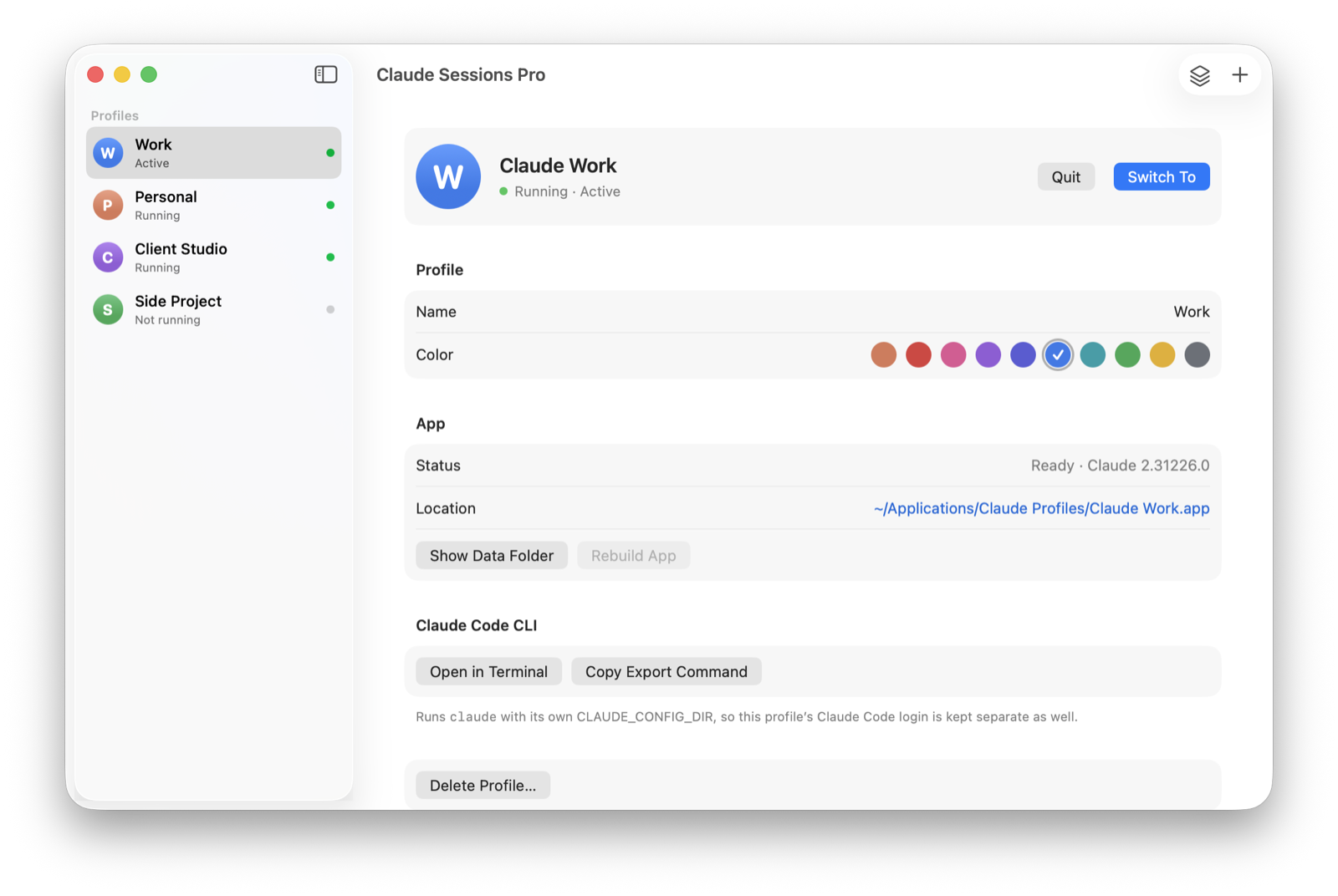
Example accounts. We make Claude Sessions Pro.
 Claude Sessions Pro
Free 1-hour preview · 14-day refund · 2 computers, Mac, PC or Linux
Changing accounts, not just signing out? See how to switch Claude Code accounts.
FAQ
How do I log out of Claude Code?
Type /logout at the Claude Code prompt, or run claude auth logout in your shell.
How do I log out of Claude Code on all devices?
On claude.ai, open Settings → Account and click Log Out. It signs the account out everywhere, including Claude Code and the desktop apps. The option isn't in the mobile apps.
Does /logout in Claude Code log me out of Claude Desktop?
No. Claude Desktop keeps its own login. Use the claude.ai Log Out to sign out of everything at once.
Why does Claude Code ask me to set up again after logging out?
Logging out also resets the first-launch setup state, so the next run walks you through login and setup.
How do I log out of one Claude Code account but stay in another?
Give each account its own CLAUDE_CONFIG_DIR. Each directory has its own login, so /logout affects only the one you are in.
Claude Sessions Pro is made by LEX GLOBAL IT S.R.L. and is not affiliated with, endorsed by or sponsored by Anthropic. It runs the official Claude app with accounts you already have, and Anthropic's terms apply to each account. Claude is a trademark of Anthropic, PBC.