 Claude Sessions Pro
Short answer: Claude Desktop's account menu only switches between a personal account and a Team or Enterprise account that share the same email address. If your accounts use two emails, there is nothing to switch to: you sign out and back in, and the sign-in follows whichever account your browser is on. Claude Code keeps its own login on top of that. To have every account open at the same time, give each its own app with Claude Sessions Pro.
Free 1-hour preview. For macOS 14 or later, 64-bit Windows 10 or 11, or Ubuntu 22.04+ and Debian 12+, with the Claude app installed.
Five reasons switching fails
- Your accounts use two different emails. The account menu (your initials, lower left) lists accounts tied to one email: a personal account and an organization you were invited to on that same address. A work email and a Gmail are two logins, and Claude Desktop holds one login at a time.
- Sign-in goes through your browser. Signing in opens your browser and continues with the Claude account that browser is already signed in to. If that is the wrong one, you land back in the account you were trying to leave.
- You switched the app, not the terminal. Claude Code keeps its own login, separate from the desktop app. Changing account in one does not change the other.
- Another credential is winning.
In Claude Code, an/statusANTHROPIC_API_KEYor token set in your environment ranks above the account you chose with/login. Run this to see which login is really in use. - Your company restricts logins. An administrator can require that Claude Code logins belong to the company's organization. A personal login is then refused on that machine.
What you lose every time you switch
- Your place. You sign out of a conversation and have to find it again.
- Your patience. There is no password to type: each sign-in is a Google prompt or an emailed link.
- The other account. One copy of Claude Desktop means one account on screen. Work and personal are never visible together.
The fix: stop switching.
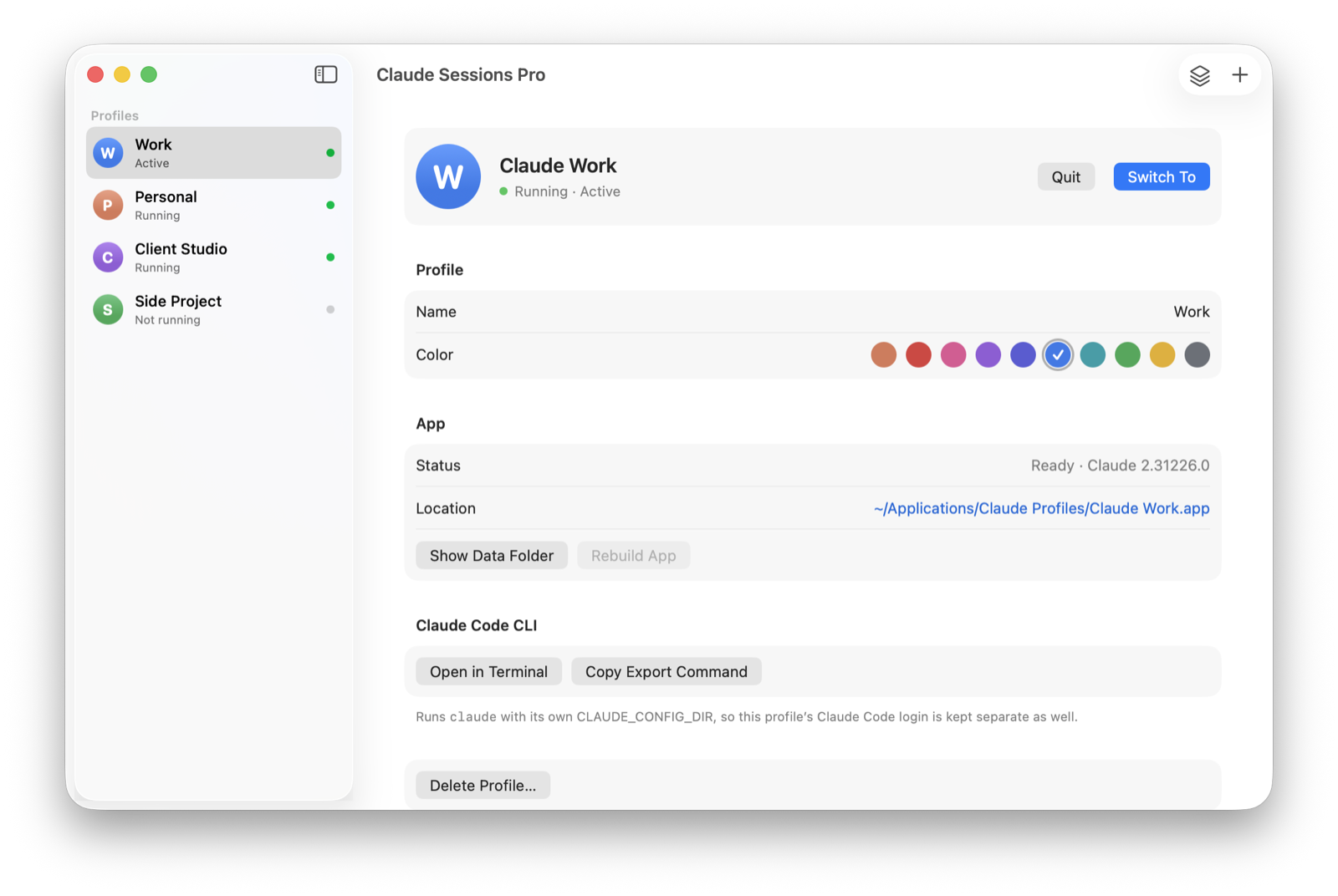
Claude Sessions Pro runs the official Claude app once per account. On a Mac each account is its own app with its own Dock icon and colored badge; on Windows and Linux each opens in its own window, titled with its name. Every account stays signed in and open at the same time, so there is no menu to hunt through and no sign-in loop.
Each profile keeps its own login, chats, Code tab sessions, settings and connectors, and "Claude Code in Terminal" opens the CLI on the same account as the app. Try it free for an hour; then it's $15 once for two computers, Mac, PC or Linux, with a 14-day refund.
| Account menu | Sign out and in | Claude Sessions Pro | |
|---|---|---|---|
| Works with two emails | ✕ Same email only | ✓ | ✓ |
| Accounts open at once | ✕ One | ✕ One | ✓ All of them |
| Sign-in each time | No | ✕ Every switch | ✓ Once per account |
| Claude Code on the same account | ✕ Separate login | ✕ Separate login | ✓ Opens from the profile |
| Cost | Free | Free | $15 one-time |
Example accounts. We make Claude Sessions Pro.
 Claude Sessions Pro
Free 1-hour preview · 14-day refund · 2 computers, Mac, PC or Linux
Using a company seat and your own plan? See work and personal Claude accounts at the same time.
FAQ
Why can't I switch accounts in Claude Desktop?
The account menu only switches between accounts on the same email address, such as a personal account and a Team account. Accounts on two different emails need a sign-out and a sign-in, or their own app each with Claude Sessions Pro.
Why does Claude sign me back in to the same account?
Sign-in runs through your browser and continues with the Claude account signed in there. Switch the account in your browser first, or give each account its own app so it never has to be changed.
Why did Claude Code not change when I switched in the app?
Claude Code keeps its own login, separate from Claude Desktop. Run /status to see which account it is using, and /login to change it.
Where is the account switcher in Claude Desktop?
Click your initials or name in the lower left. If a personal and an organization account share your email, both are listed, with a checkmark on the one in use.
Is it allowed to use multiple Claude accounts?
Claude Sessions Pro runs the official Claude app, signed into accounts you own, such as your work and personal Claude accounts. It doesn't change how Claude works. Anthropic's terms still apply to each account; using several accounts to get around usage limits may break them, so use it for accounts you're allowed to have.
Claude Sessions Pro is made by LEX GLOBAL IT S.R.L. and is not affiliated with, endorsed by or sponsored by Anthropic. It runs the official Claude app with accounts you already have, and Anthropic's terms apply to each account. Claude is a trademark of Anthropic, PBC.