 Claude Sessions Pro
Short answer: if two people share the computer, give each person their own user account on it (System Settings → Users & Groups on a Mac, Settings → Accounts on Windows). Each user then has their own Claude Desktop login, chats and Claude Code folder, automatically and for free. If it's one person with several Claude accounts, a second computer user means logging out of your whole desktop to switch; Claude Sessions Pro keeps every account open side by side instead.
Free 1-hour preview. For macOS 14 or later, or 64-bit Windows 10 or 11, with Claude Desktop installed.
What a Claude account keeps on your computer
- The login. Claude Desktop keeps it in its data folder, so the app opens straight into that account.
- Settings and connectors. Including MCP servers, the local tools Claude can use on that computer.
- Claude Code. Its own login, settings and session history in
~/.claude.
Share one sign-in and you share all of that: the other person's chats, their connected tools, their Claude Code history.
Two people: give each their own computer user
A separate user account per person is the right answer, and it's free. Each user has their own home folder, so everything above is separate without any setup: their own Claude Desktop login and chats, and their own ~/.claude for Claude Code.
- Both can stay signed in. Switch users instead of logging out, and the other person's apps keep running.
- Install per user if needed. On Windows especially, apps are often installed for one user only. If Claude is missing after you switch, install it from that user account.
- It's real separation. Each person's chats, files and logins stay in their own home folder.
One person, several accounts?
If it's you with a work account and a personal one, a second computer user means logging out of your whole desktop to switch. Faster options: a second browser profile for claude.ai, a second CLAUDE_CONFIG_DIR for Claude Code, or each account as its own Claude app.
Several accounts, one person.
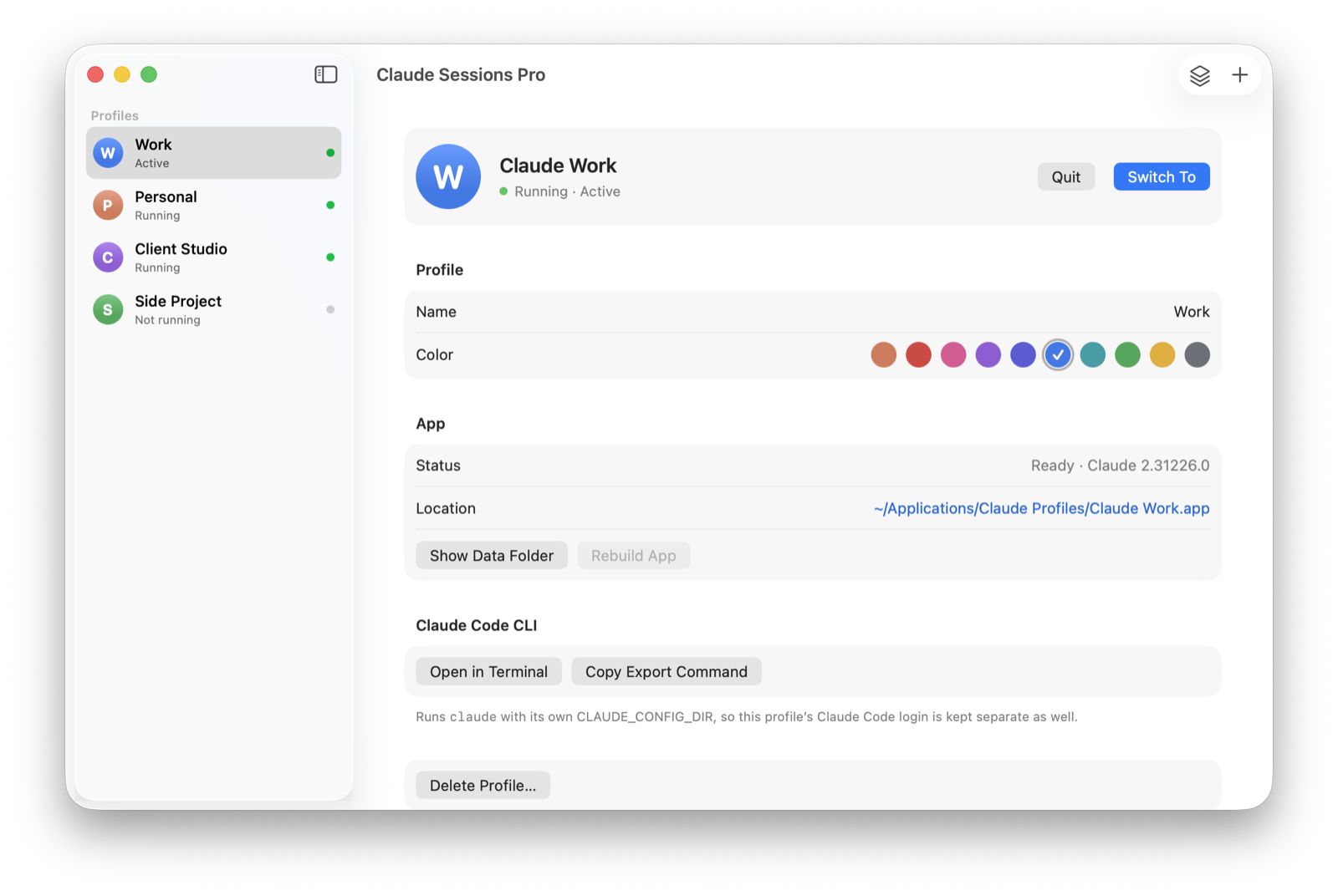
That's what Claude Sessions Pro is for. Each of your Claude accounts gets its own profile: its own app with its own Dock icon on a Mac, or its own window titled with its name on Windows. Every profile keeps its own login, chats, Code tab sessions, settings and connectors, and they're all open at once, on your own desktop with your own files.
For two different people, separate computer users are still the better and free answer. For one person juggling work and personal accounts: try it free for an hour; then it's $15 once for two computers, Mac or PC, with a 14-day refund.
| Separate computer users | Claude Sessions Pro | |
|---|---|---|
| Best for | Two or more people | One person, several accounts |
| Accounts on screen together | ✕ Switch users | ✓ |
| Files and desktop | Separate per person | Shared, it's your desktop |
| Claude Code per account | ✓ | ✓ |
| Cost | Free | $15 one-time |
We make Claude Sessions Pro.
 Claude Sessions Pro
Free 1-hour preview · 14-day refund · 2 computers, Mac or PC
Want to keep your own accounts signed in at once? See multiple Claude accounts without logging out.
FAQ
Can two people use Claude on the same computer?
Yes. Give each person their own user account on the computer, and each gets their own Claude Desktop login, chats and Claude Code folder automatically.
Is there a Claude family account?
Each person signs in with their own Claude account. On a shared computer, separate computer users keep those accounts and their chats apart.
Is it allowed to use multiple Claude accounts?
Claude Sessions Pro runs the official Claude app, signed into accounts you own, such as your work and personal Claude accounts. It doesn't change how Claude works. Anthropic's terms still apply to each account; using several accounts to get around usage limits may break them, so use it for accounts you're allowed to have.
I have a work and a personal Claude account. Do I need a second computer user?
No. A second user means signing out of your whole desktop to switch. Claude Sessions Pro keeps both accounts open side by side, each as its own Claude app or window, on your own desktop.
Claude Sessions Pro is made by LEX GLOBAL IT S.R.L. and is not affiliated with, endorsed by or sponsored by Anthropic. It runs the official Claude app with accounts you already have, and Anthropic's terms apply to each account. Claude is a trademark of Anthropic, PBC.